

Lean Onboarding
Task and my role. Whip up a wizard that collects just enough info about camper to get it published on the platform. I handled UX research, prototyping, user testing, and visual design, and teamed up with developers and product managers along the way.
About
The development of the wizard had several cornerstones that needed to be smoothed out.
First, ask the renter for the minimum amount of information necessary for a quick publication on the platform.
Second, gather very dull and (unfortunately) critically necessary information about insurance and other legal matters, and make this journey comfortable and fast.
Minimal but enough
From the minimal info, we need to know the basic things: the name, model, and year of the camper. At least one photograph, the base price, the number of passengers the camper accommodates, where it can be picked up, and of course, the number of sleeping places.
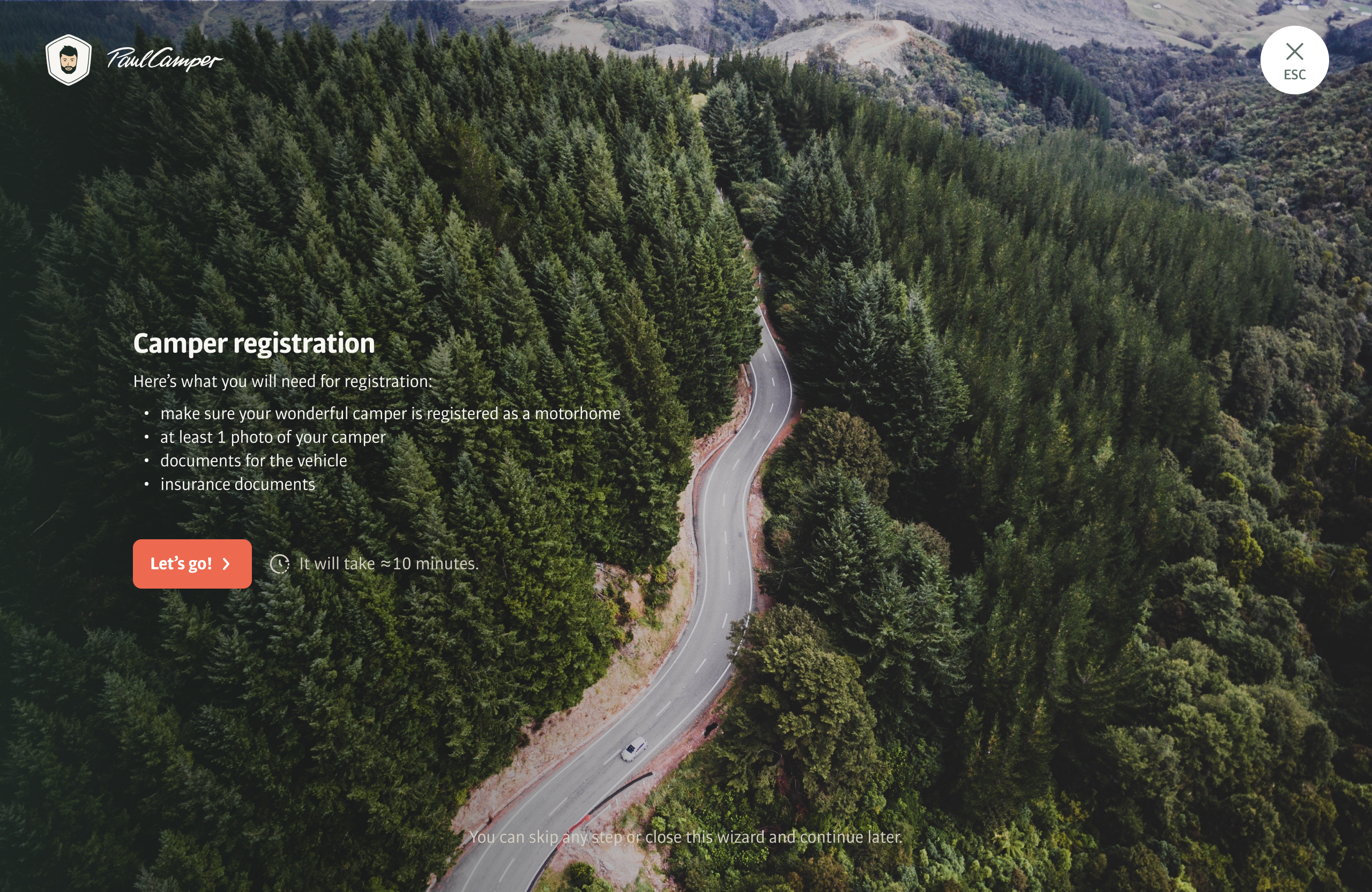
Before we begin, we explain what is needed for registration and how much time it will take.
Part 1. Basic info.
The wizard has navigation and animation of the camper that moves through the stages. Camper lovers really liked this approach with the moving vehicle. This creates an emotional connection with the platform.
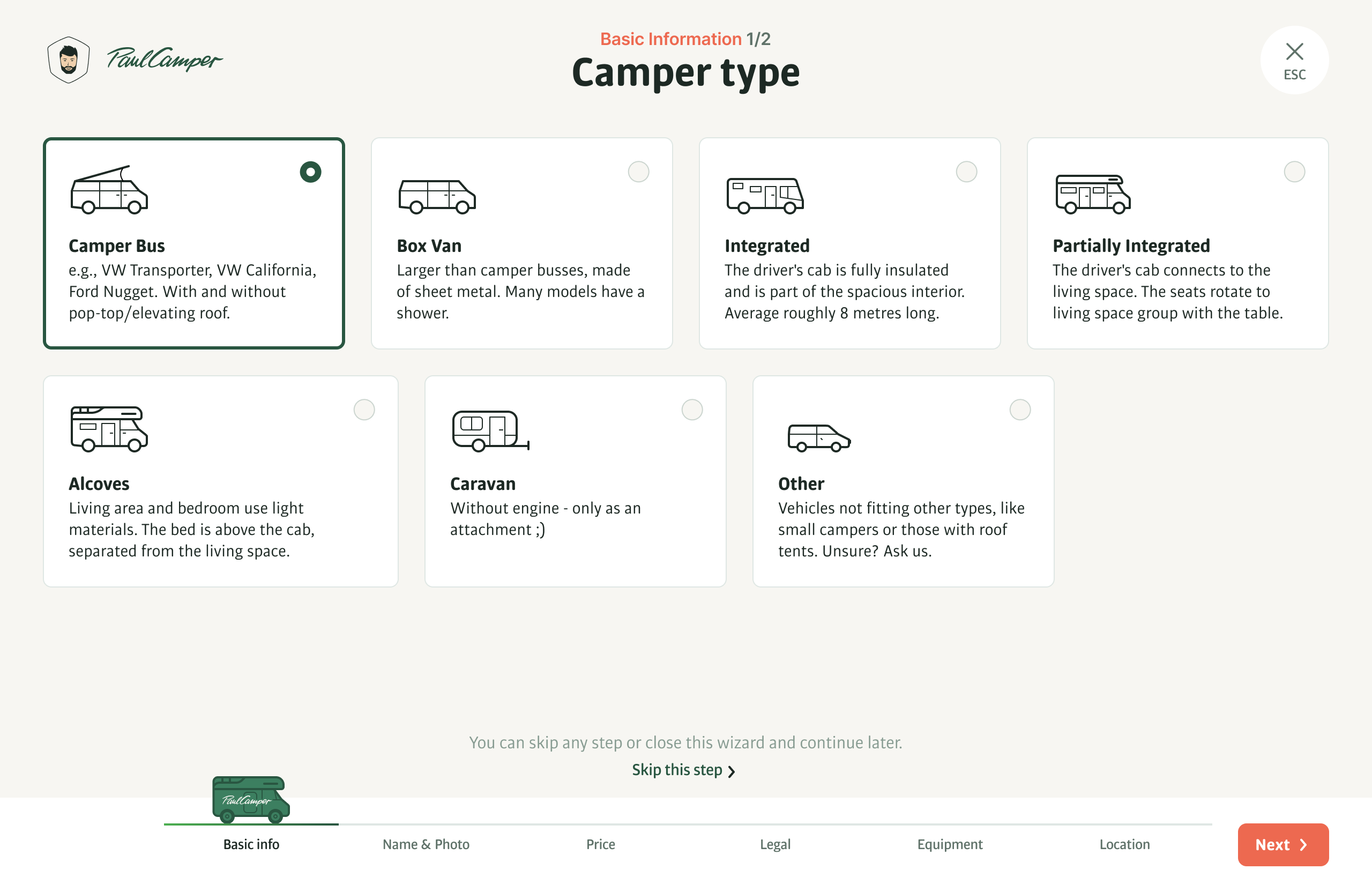
Camper type. This is one of the key parameters. The user simply needs to click on the type of camper, and they will immediately proceed to the next screen. Since this action is not critical, the user can return to this screen in case of an error and change the camper type.
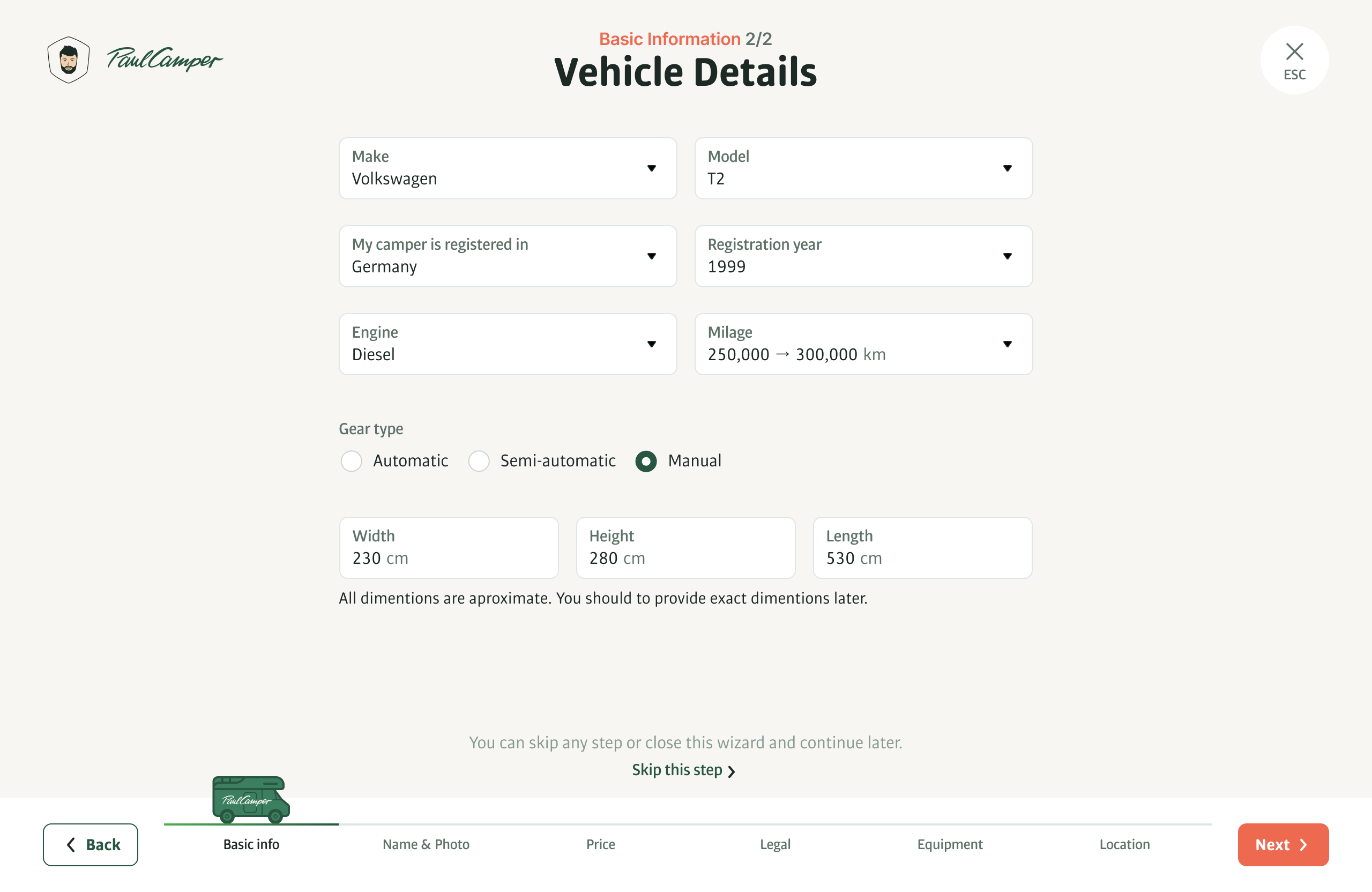
Basic information about the vehicle. Most fields are dropdown lists with search functionality to eliminate errors in important information.
Part 2. Name and photo.
Everything happens quite quickly and easily here. Often, owners have already named their camper as soon as they bought it. There are also plenty of photos, just like any car owner.
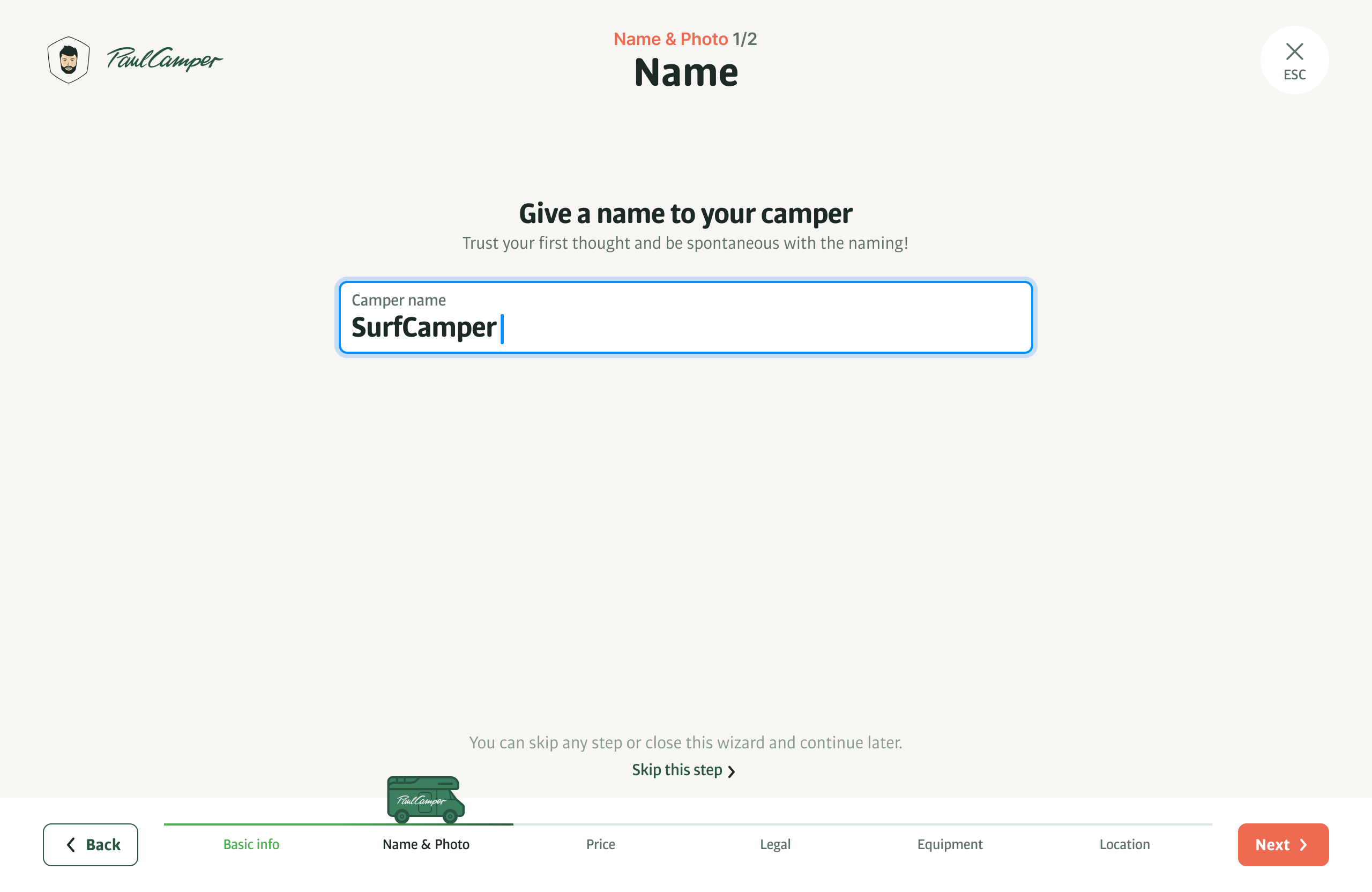
The name doesn't have to be unique; it's more of a creative process. There are some funny camper names on the platform. For many owners, campers are like their children, and they give them personality.
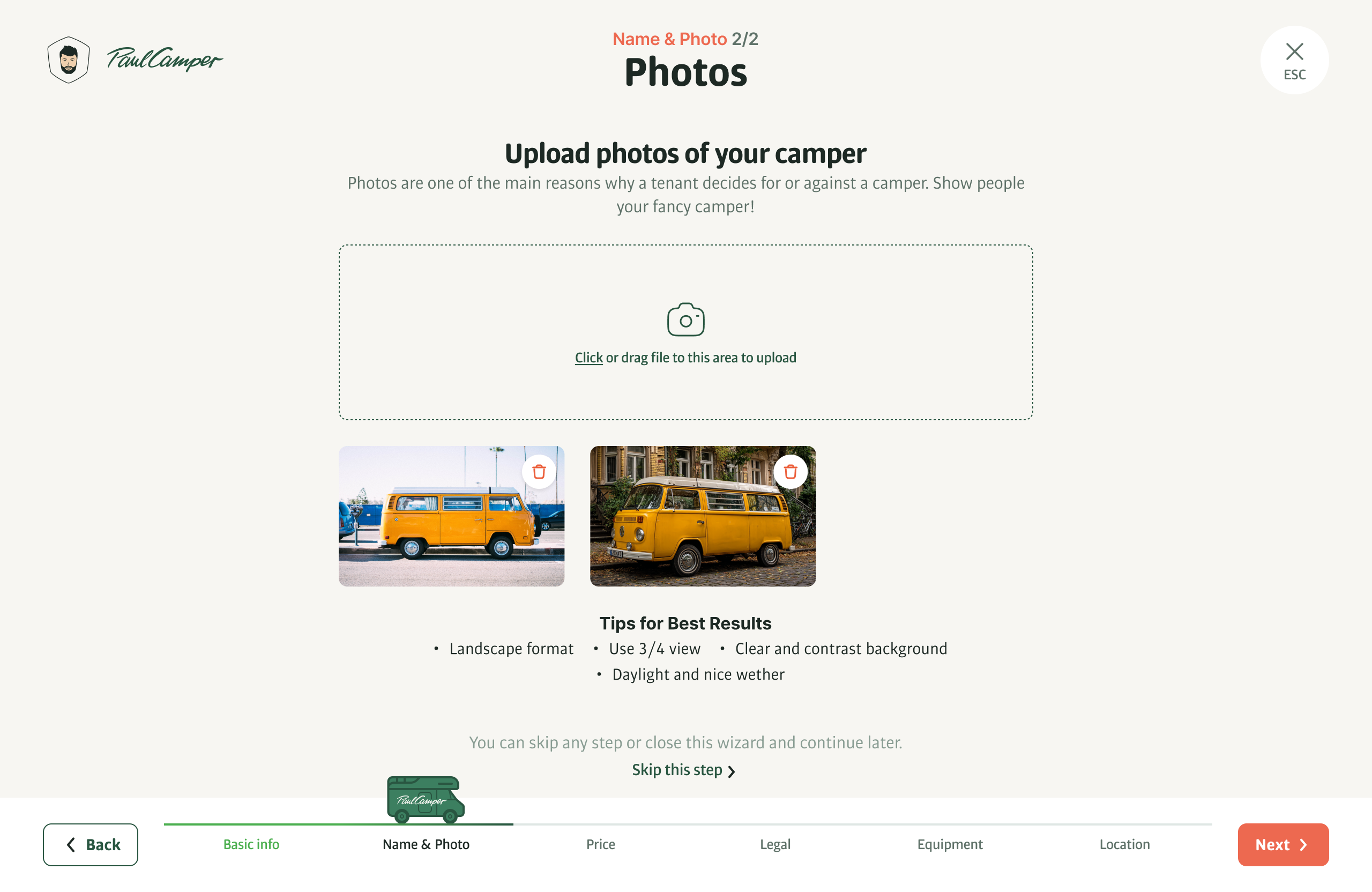
Photos are an extremely important element, as they not only help stand out in search results but also showcase the camper's features or unique characteristics.
Part 3. Price.
Price, a key indicator. It is clear that everyone wants to earn as much as possible. However, the higher the price, the harder it is to compete, and one has to somehow compensate for the high price, for example, with additional improvements to the camper.
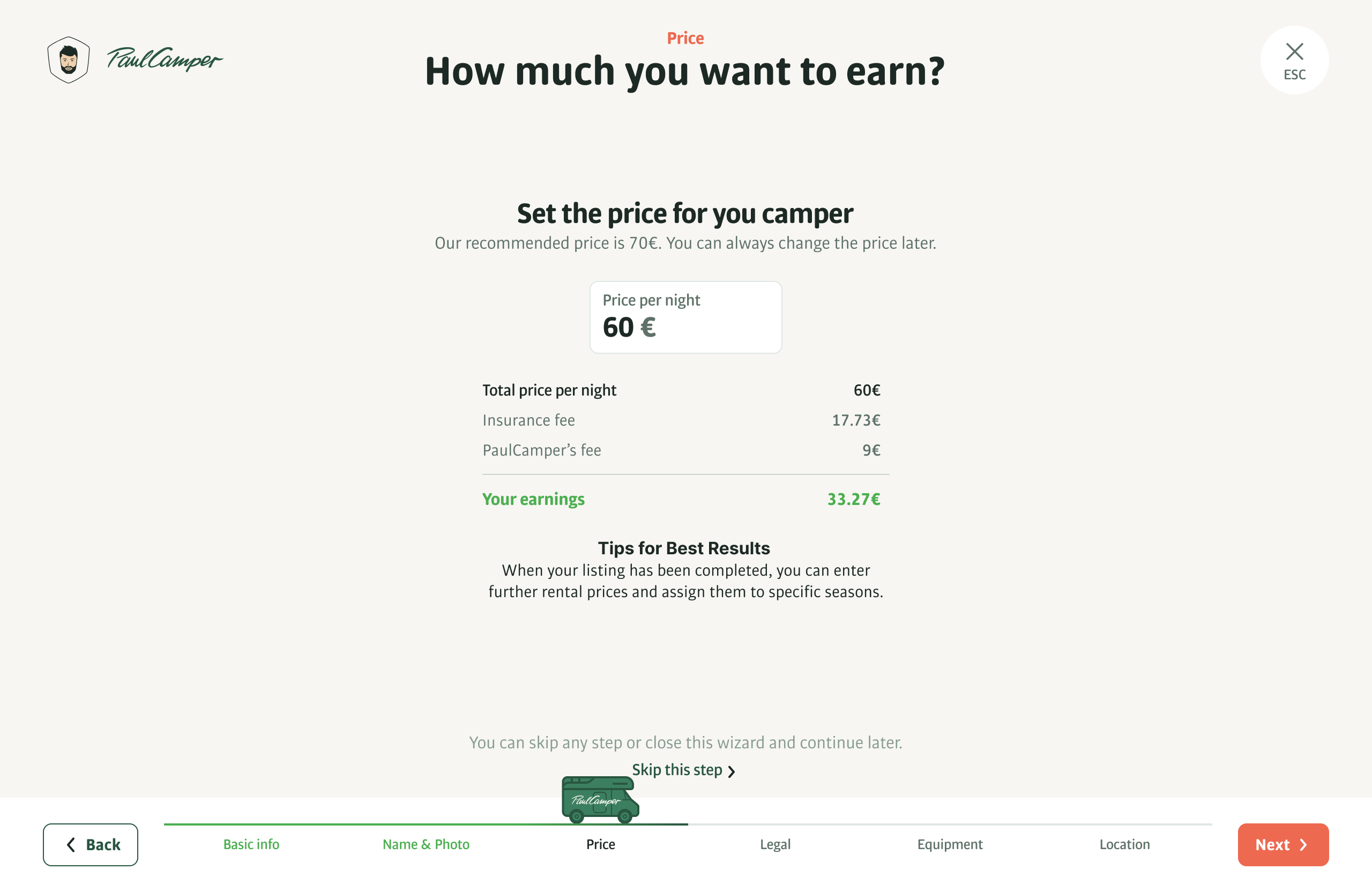
Here we show the recommended price based on the model and year of the camper. And most importantly, how much the owner will receive after deducting insurance and service fees.
Part 4. Legal.
A critically necessary part, but the most tedious, because you have to search for documents on the camper, insurance, etc.
I tried different approaches. For example, asking one question at different stages. Or placing this block first. But user tests showed that it works best if all questions are asked at once, like ripping off a band-aid, and definitely not at the very beginning or the end.
Owners fill out the information with love and interest, watching as a little green camper drives down to the finish line. And just around the middle of the flow, when most of the details have been covered, the legal questions don't cause as much discomfort.
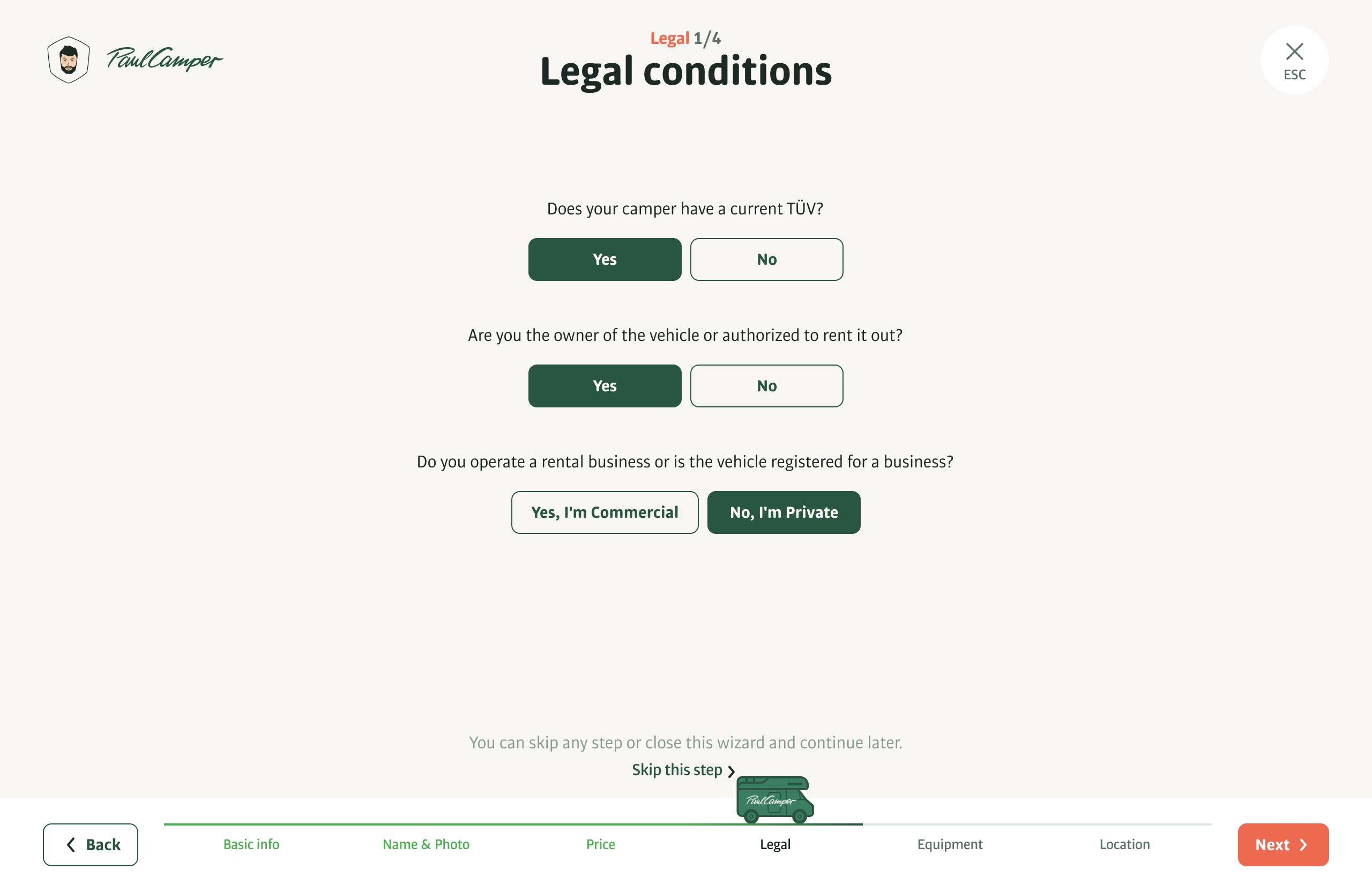
Instead of a form, I created a questionnaire where in most cases you just need to click on the answers. Depending on the responses, the number of questions changes.
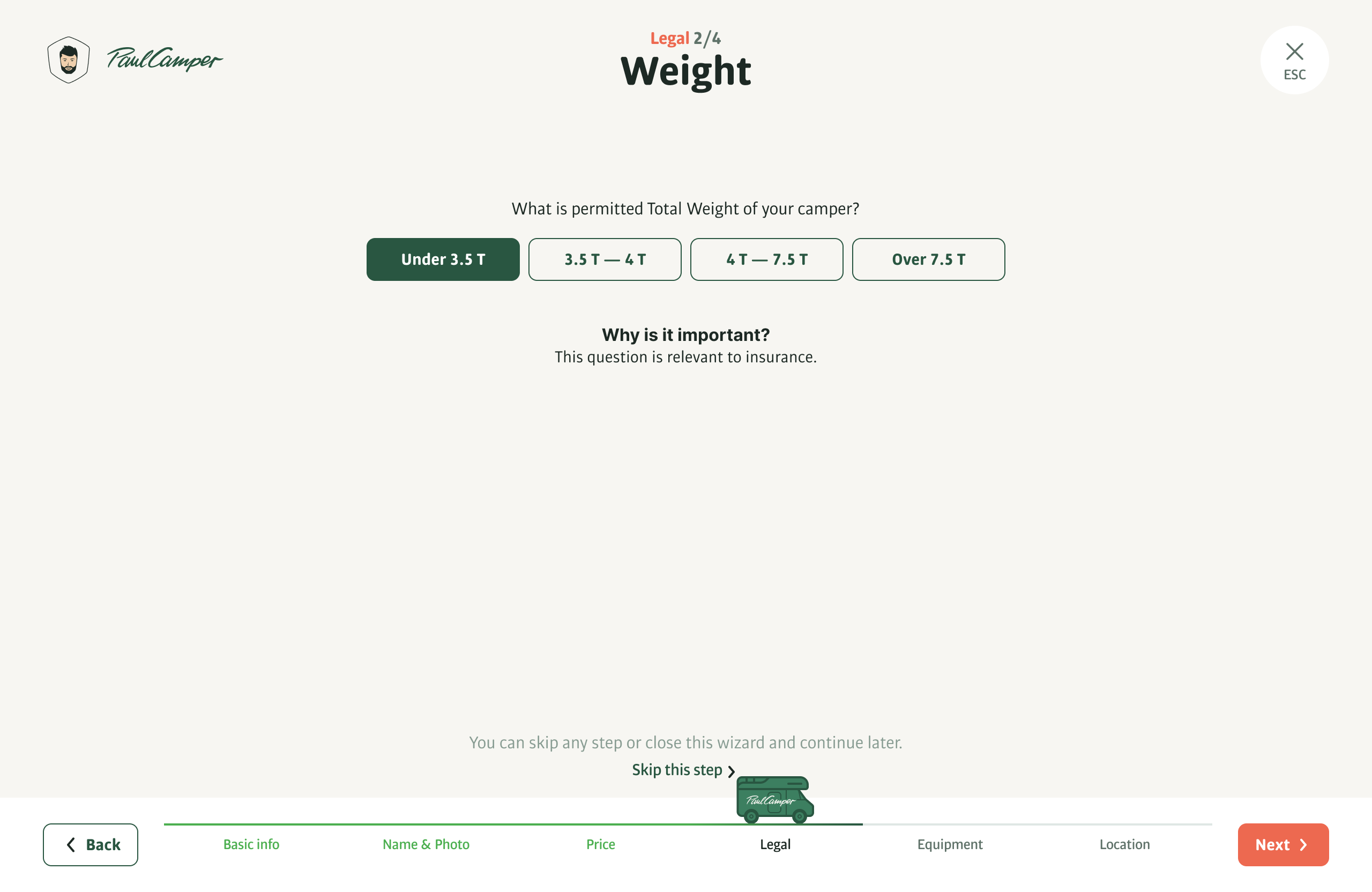
Instead of asking, "What is the payload capacity of your camper?" which would require digging through paperwork, we ask approximately, as this is enough to determine the type of insurance. The owner always knows the approximate payload capacity.
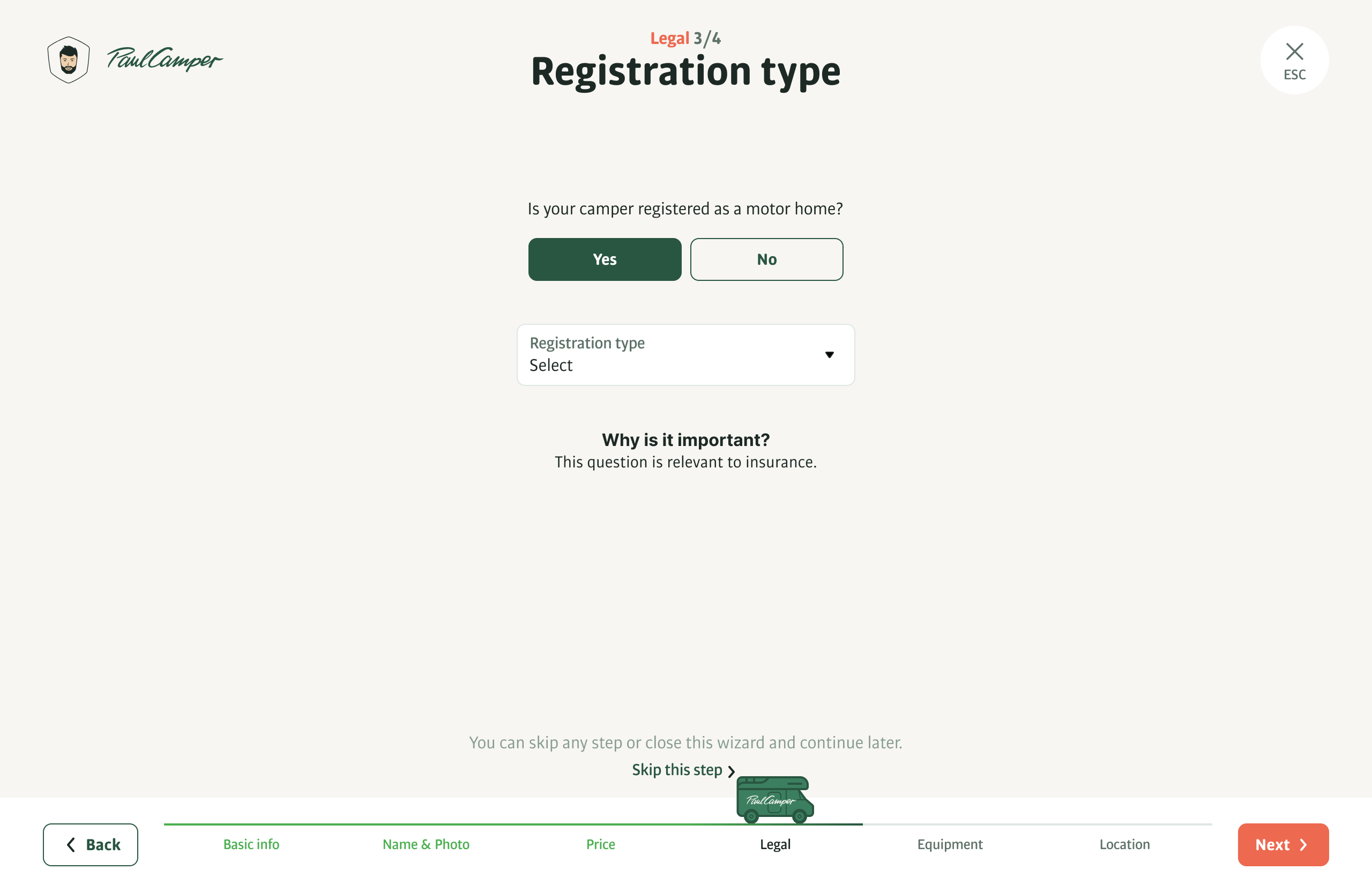
In some cases, like here, if you answer No, we won't be able to publish the camper on the platform as it's illegal. But in this case, we will say - register and come back, we are waiting for you!)
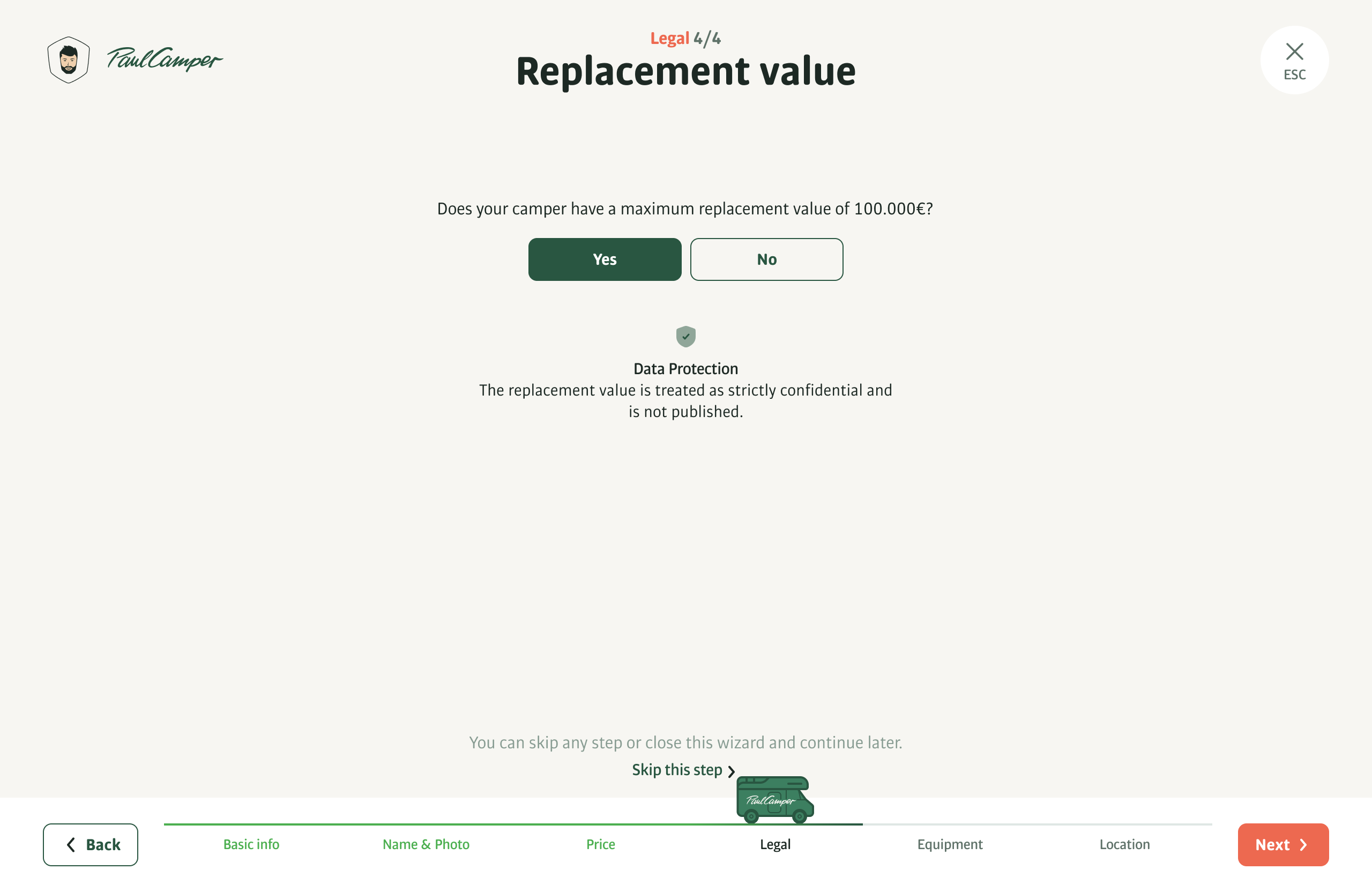
Here too, we only need a yes or no answer. Easy.
Part 5. Equipment.
Regarding equipment, we collect the bare minimum through the wizard, sufficient for publication. The lender adds the rest later in the camper's profile.
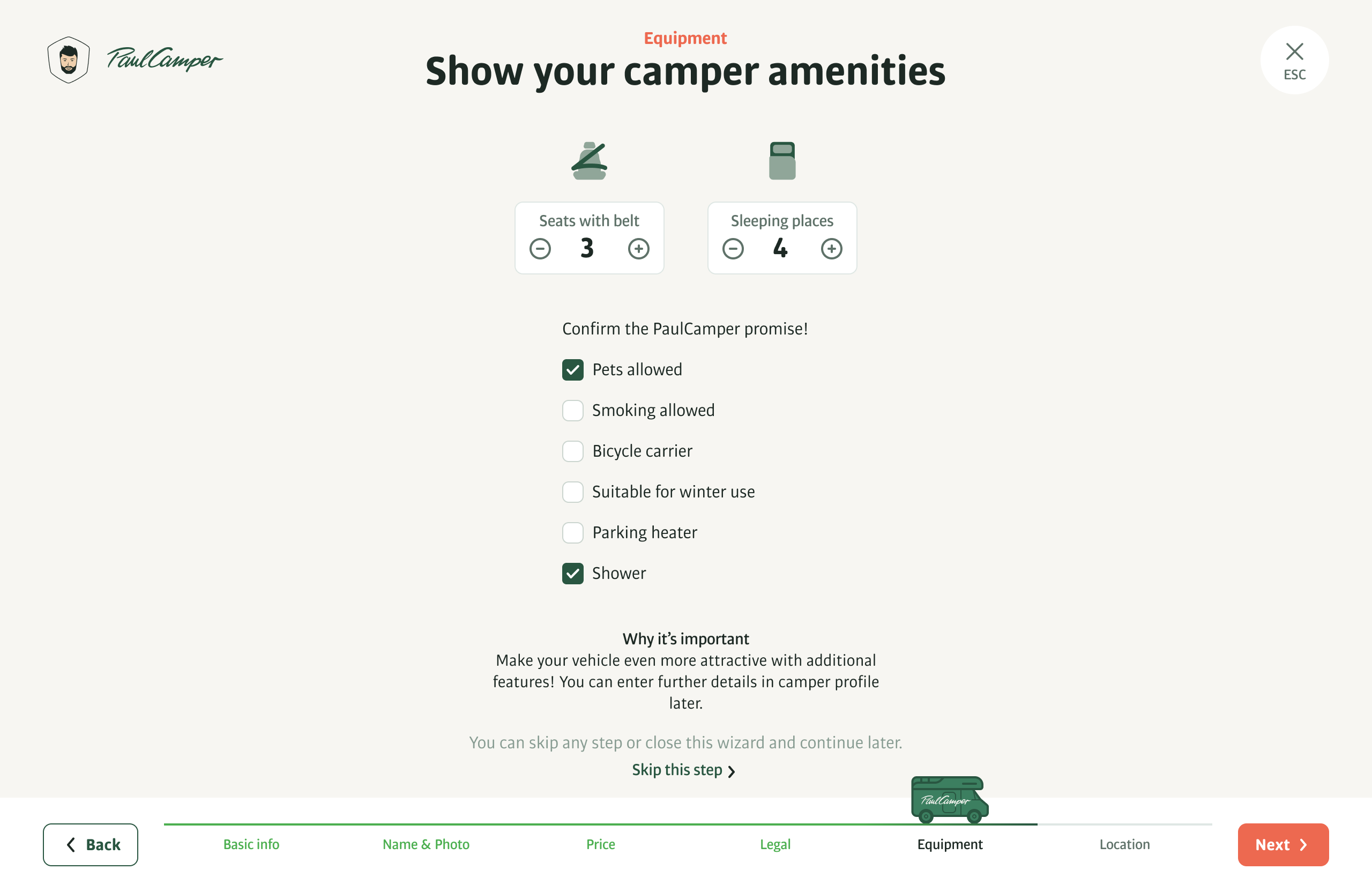
The platform has the concept of a promise, which refers to mandatory features that must be indicated as either present or absent.
Part 6. Location.
It's all quite simple and clear here. You need to specify the location from where the camper can be picked up.
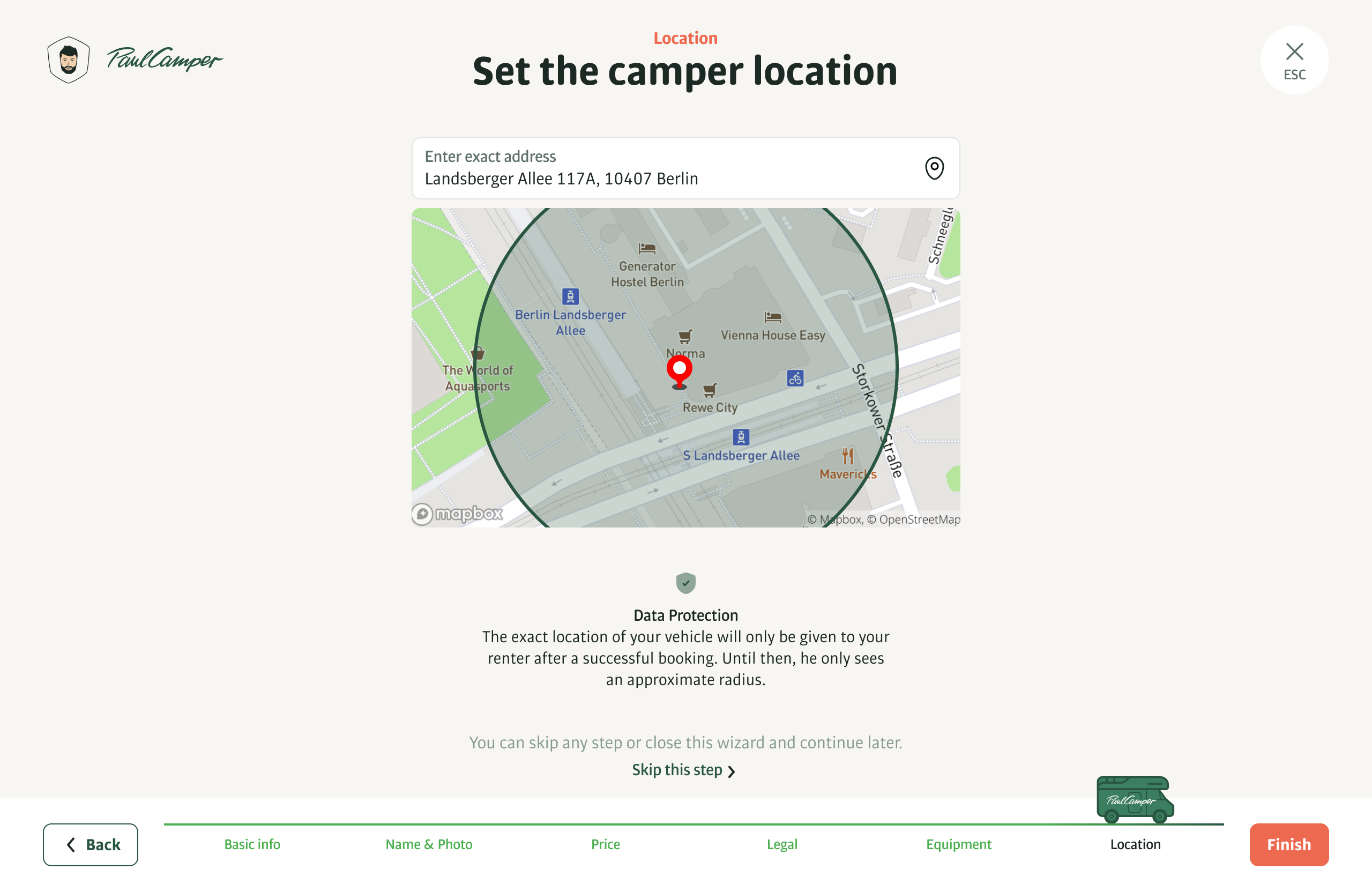
We always show renters the rough radius they'll see on the platform before they book. This helps boost lenders' trust in our service.
Finish
Everything is done. It's time to roll out your camper online.
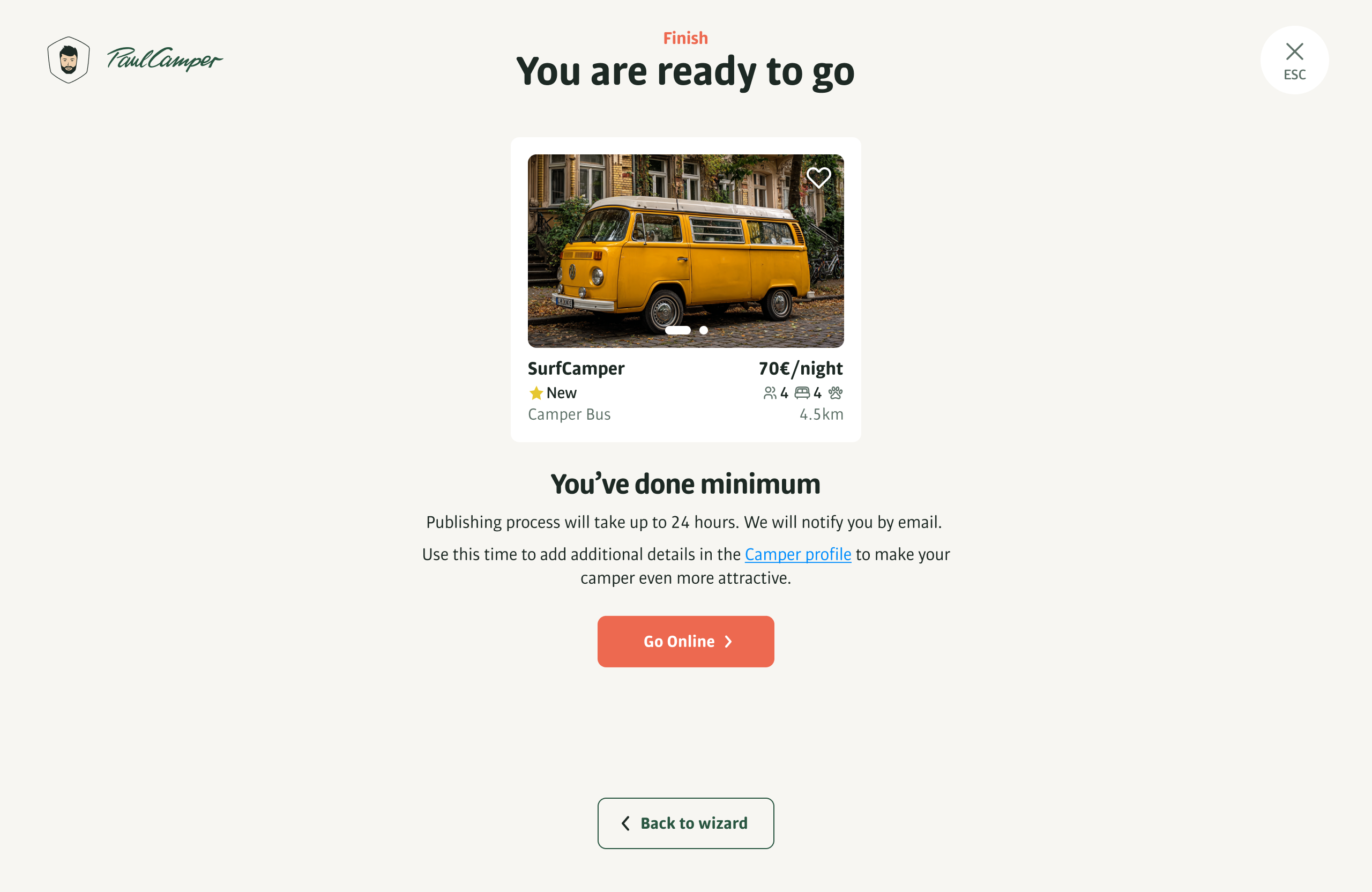
Preview of the listing and a reminder that details need to be added to the camper's profile.
Results
The onboarding flow for camper owners reduced the time to publish a listing from several hours to just 10 minutes.
A minimal yet efficient registration wizard streamlined the entire process — even complex legal steps became quick and painless.
Emotional touches like the animated camper enhanced user engagement and built trust.
10 min
The onboarding time.
-38%
Drop-off rates during onboarding.
+52%
Completed registrations.
COVID and Acquisition
COVID had a rather tragic impact on the company, forcing us to part ways with many employees (I myself moved on to a new project - I didn't want to wait) and somehow stay afloat. As a result, in 2022, the company was acquired by a major competitor, Camplify (Australia). Currently, they have merged the two applications into one super app based on Camplify's visual design.
Visit AppStore


Lean Onboarding
Task and my role. Whip up a wizard that collects just enough info about camper to get it published on the platform. I handled UX research, prototyping, user testing, and visual design, and teamed up with developers and product managers along the way.
About
The development of the wizard had several cornerstones that needed to be smoothed out.
First, ask the renter for the minimum amount of information necessary for a quick publication on the platform.
Second, gather very dull and (unfortunately) critically necessary information about insurance and other legal matters, and make this journey comfortable and fast.
Minimal but enough
From the minimal info, we need to know the basic things: the name, model, and year of the camper. At least one photograph, the base price, the number of passengers the camper accommodates, where it can be picked up, and of course, the number of sleeping places.
Before we begin, we explain what is needed for registration and how much time it will take.
Part 1. Basic info.
The wizard has navigation and animation of the camper that moves through the stages. Camper lovers really liked this approach with the moving vehicle. This creates an emotional connection with the platform.
Camper type. This is one of the key parameters. The user simply needs to click on the type of camper, and they will immediately proceed to the next screen. Since this action is not critical, the user can return to this screen in case of an error and change the camper type.
Basic information about the vehicle. Most fields are dropdown lists with search functionality to eliminate errors in important information.
Part 2. Name and photo.
Everything happens quite quickly and easily here. Often, owners have already named their camper as soon as they bought it. There are also plenty of photos, just like any car owner.
The name doesn't have to be unique; it's more of a creative process. There are some funny camper names on the platform. For many owners, campers are like their children, and they give them personality.
Photos are an extremely important element, as they not only help stand out in search results but also showcase the camper's features or unique characteristics.
Part 3. Price.
Price, a key indicator. It is clear that everyone wants to earn as much as possible. However, the higher the price, the harder it is to compete, and one has to somehow compensate for the high price, for example, with additional improvements to the camper.
Here we show the recommended price based on the model and year of the camper. And most importantly, how much the owner will receive after deducting insurance and service fees.
Part 4. Legal.
A critically necessary part, but the most tedious, because you have to search for documents on the camper, insurance, etc.
I tried different approaches. For example, asking one question at different stages. Or placing this block first. But user tests showed that it works best if all questions are asked at once, like ripping off a band-aid, and definitely not at the very beginning or the end.
Owners fill out the information with love and interest, watching as a little green camper drives down to the finish line. And just around the middle of the flow, when most of the details have been covered, the legal questions don't cause as much discomfort.
Instead of a form, I created a questionnaire where in most cases you just need to click on the answers. Depending on the responses, the number of questions changes.
Instead of asking, "What is the payload capacity of your camper?" which would require digging through paperwork, we ask approximately, as this is enough to determine the type of insurance. The owner always knows the approximate payload capacity.
In some cases, like here, if you answer No, we won't be able to publish the camper on the platform as it's illegal. But in this case, we will say - register and come back, we are waiting for you!)
Here too, we only need a yes or no answer. Easy.
Part 5. Equipment.
Regarding equipment, we collect the bare minimum through the wizard, sufficient for publication. The lender adds the rest later in the camper's profile.
The platform has the concept of a promise, which refers to mandatory features that must be indicated as either present or absent.
Part 6. Location.
It's all quite simple and clear here. You need to specify the location from where the camper can be picked up.
We always show renters the rough radius they'll see on the platform before they book. This helps boost lenders' trust in our service.
Finish
Everything is done. It's time to roll out your camper online.
Preview of the listing and a reminder that details need to be added to the camper's profile.
Results
The onboarding flow for camper owners reduced the time to publish a listing from several hours to just 10 minutes.
A minimal yet efficient registration wizard streamlined the entire process — even complex legal steps became quick and painless.
Emotional touches like the animated camper enhanced user engagement and built trust.
10 min
The onboarding time averaged 10 minutes, instead of 40-50 in the previous implementation.
-38%
Drop-off rates during onboarding.
+52%
Completed registrations.
COVID and Acquisition
COVID had a rather tragic impact on the company, forcing us to part ways with many employees (I myself moved on to a new project - I didn't want to wait) and somehow stay afloat. As a result, in 2022, the company was acquired by a major competitor, Camplify (Australia). Currently, they have merged the two applications into one super app based on Camplify's visual design.
Visit AppStore